
If you are unable to check, set or change the Short Message Service Centre (SMSC) Number on your iPhone or Android phone via the Message app “setting”, you can make use of *#5005*7672# and *#*#4636#*#* USSD codes respectively.
On Android,
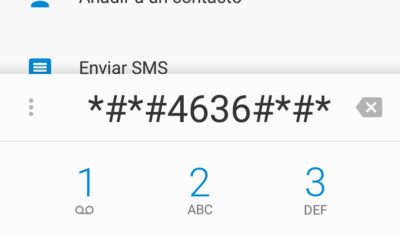
Dial *#*#4636#*#*.
You will see a “testing” menu. From that, select “Phone or Device Information”
Scroll to “SMSC”
Tap “Refresh”. This will most likely to retrieve the message center number from your operator
If you see something like; “+234” 145
Change only the “+234” to “your message centre number”
So for example. final code for me for Glo is : “+2348050001501” 145
Tap “Update” after entering the correct Message centre number.
On iPhone,
On iPhone, you can check your message centre number by dialing *#5005*7672#
To set the correct SMSC, dial **5005*7672*+your message centre number#

For example, if you are using Glo on your iPhone, and the ‘Service Centre Address’ isn’t +2348050001501, dial **5005*7672*+2348050001501# to set it to Glo Message Centre Number.
If you don’t know the SMSC Number of your operator, call the customer care.

Leave a Reply