
Yesterday, I shared how I root Infinix Zero Android phone using Kingroot app. So, in this post, I am sharing with you how to unroot your Android phone, if you’ve also rooted it with the KingRoot tool.
How To Get Started
The steps below will also remove KingUser from your smartphone.
==> Delete or Uninstall KingRoot and KingMaster (the one in chinese) from your smartphone
==> Open the KingUser app and tap the settings icon at the top right corner as indicated below:
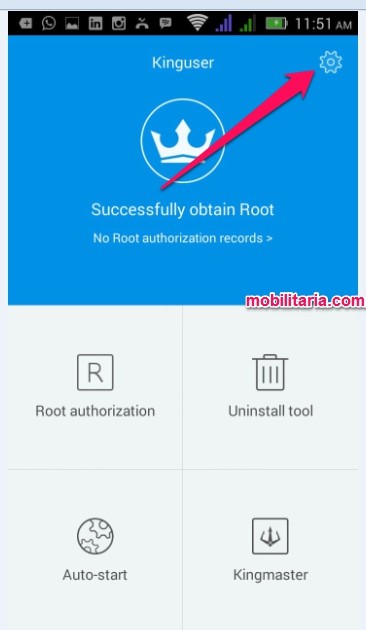
==> Tap on “Root authorization setting”
==> Tap on “Remove root permission”.
==> In the pop-up window that appears, click “clear”

==> Thereafter, KingUser will be removed automatically
You can also restart your phone.
Use the root checker here to confirm if you no longer have root access.
Have fun!

Leave a Reply