
Tag: iOS tips
-
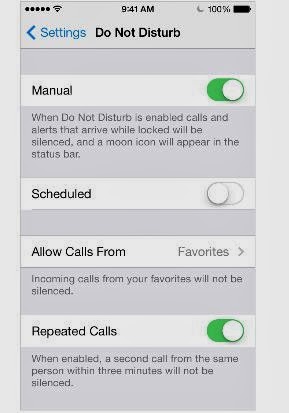
“Do Not Disturb” feature on iPhone and iPad: How It Works
You can easily silence calls, alerts, and notifications on your iPad and iPhone using the iOS “Do Not Disturb” setting. This way, you can decide not to connect to the outside world without totally switching off your device. You can also schedule when you don’t want to be notified of phone calls, text messages, and…
-

How To Move Pictures From Dropbox To iPad Camera Roll
If you’ve put the photos on your other devices in your dropbox and would love to transfer them to your iPad camera roll, you can get it done with ease. If you’ve also moved your photos to dropbox and would love to get them back to your iPad especially when you want to use them…
-

Uploading Photos from iPad to Dropbox
Moving pictures from my iPad 3 Camera roll to dropbox app used to be very easy using the + upload button not until I upgraded to dropbox 2.3.1 after which I no longer see the uploads tab at the bottom of the app’s screen nor the + sign at the top of the screen. After…
-

iPad 5 Features and Video Ad
iPad 5 has been launched, although Apple is calling it a new name – iPad Air. The release date for this fifth-generation full-size iPad is set for Friday, November. 1. It will come in space gray and black, and silver and white colors. As with past models, the iPad Air will come in both Wi-Fi…