
Tag: iPad tips
-

How To Lock iPhone, iPad Using Lock Mode
Lost Mode locks your iOS device with a passcode and can display a custom message and contact phone number right on the Lock Screen. While in Lost Mode, your device can keep track of where it has been and report back so you can view its recent location history, right from the Find My iPhone…
-
What does Lost Mode Do On iPhone and iPad?
If you can’t find your device, use Lost Mode right away to lock it with a passcode, display a custom message on the screen, and keep track of its location. You can simply turn on the lost mode via the Find My iPhone app or at www.icloud.com/#find
-

Can I Track My iPhone or iPad if Find My iPhone isn’t Enabled?
If you didn’t turn on Find My iPhone before your device was lost or stolen, you can’t use it to locate your device. However, you can use these steps to help protect your data: 1. Change your Apple ID password. By changing your Apple ID password you can prevent anyone from accessing your iCloud data…
-

How To Use Find My iPhone
The Find My iPhone app lets you track your iOS device if missing. You can also use it to lock your device remotely, play a sound, display a message or erase all the data on it. To track your iPhone or iPad with “Find My iPhone” app, you must have enabled it in iCloud settings…
-

Find My iPhone Online Login
Earlier, I shared an article on how to download Find My iPhone app, which enables you to use any any iOS device to find your iOS device and protect its data if stolen or misplaced. If you don’t have any iOS device to use, you can also make use of the Find My iPhone website.
-

How To Connect iPad, iPhone To TV Via HDMI Cable
You can view content of your iPhone or iPad on your HDMI compatible TV if you connect both devices with Apple’s Digital AV Adapter through an HDMI cable, which transfers both HD-quality video and sound. A second 30-pin connector built into the AV adapter lets you charge and sync your device while it’s connected to…
-

How To Recover Deleted Notes On iPad 3
This morning, while deleting some notes via the “Notes” app on my iPad 3, I mistakenly deleted an important note where I save information of my business partners. Immediately, I googled how to recover deleted notes from iPad.
-
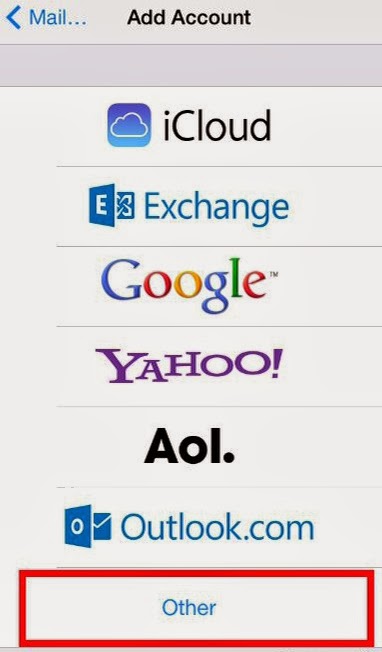
How To Set Up Email Created With Namecheap Web-hosting Account on iPad or iPhone
If you have a web hosting account at Namecheap.com and have created custom email address from the hosting account, you can add the email account to your iPad or iPhone so you can read and send emails directly from your iOS device. I’ve set up mine on my iPad 3 and working fine. I even…